

Do you want to start a Blogging, share your knowledge with the world, build your personal brand, or create a long-term passive income source?
Yes—all of this is possible, even if you are a complete beginner.
With the right guidance and the right platform, you can launch your blog today. Over the last few years, millions of new bloggers have chosen Hostinger + WordPress because it’s simple, affordable, and beginner-friendly.
This detailed guide will walk you through exactly how to start a blog from scratch, even if you have zero experience.
Why Blogging Still Works in 2025
People start blogging for many reasons:
- To share meaningful thoughts and life lessons
- To document learning and personal growth
- To help others solve real-life problems
- To build a community
- To create a passive income stream
- To get collaboration opportunities, review products, or grow a brand
What You Need Before You Start
A domain name idea (you can even decide it later during setup)
That’s all.
Now let’s start your blogging journey.
Steps to Start a Blog in 2025
- Select a blogging platform
- Choose your blog topic (niche)
- Choose a domain name
- Buy hosting (Hostinger)
- Install WordPress
- Design your blog
- Install essential plugins
- Write your first post
- Add important pages
- Promote your blog
- Monetize your blog
Let’s go step-by-step.
Step 1: Choose the Blogging Platform
Most professional bloggers use WordPress.org (self-hosted WordPress).
Why WordPress?
- Easy to use
- Highly customizable
- SEO-friendly
- Supports all designs and plugins
- Free software
Important:
Do not choose WordPress.com—it’s limited.
Choose WordPress.org, which you can install easily on Hostinger.
Did you know?
Over 43% of the entire internet runs on WordPress.
Step 2: Decide Your Blog Topic (Niche)
This is one of the most important decisions.
A niche means the main topic your blog will focus on.
How to find your niche?
- Pick a topic you can talk about for hours.
- Choose something you already read, write, or think about.
- Ensure you can provide unique value.
- Write 5 article ideas for each topic—whichever feels easiest is your niche.
Examples of profitable niches:
- Mindfulness & personal growth
- Parenting & relationships
- Health & mental well-being
- Technology & gadgets
- Finance
- Education
- Motivation
- AI & digital habits
A focused niche = better growth + better SEO + better monetization.
Step 3: Choose Your Domain Name
Your domain name is your blog’s identity.
Rules to choose a good domain:
- Easy to remember
- Easy to type
- Short (under 12 characters recommended)
- Use .com if possible
- Avoid numbers & hyphens
Examples:
- mindwavesblog.com
- mindfulstories.in
- beyondthoughts.com
If you don’t have a name yet—no problem.
Hostinger allows you to choose your domain later.
Step 4: Set Up Hosting (Hostinger)

Web hosting is where your blog lives—files, images, design, everything.
For beginners, Hostinger is the best choice because:
- Very affordable
- Fast loading speed
- Free domain
- Free SSL
- 1-click WordPress installer
- Easy control panel
- 24/7 support
Recommended Plan:
✔ Hostinger Premium Web Hosting (best for beginners) with 20% off
Steps to buy Hostinger hosting:
- Visit Hostinger’s website
- Select the Premium Plan
- Choose duration (12 or 24 months for best discount)
- Enter your email
- Choose your domain
- Complete payment
Within minutes, your hosting account becomes active.
If you want, I can add your Hostinger coupon code & affiliate link inside this article.
Step 5: Install WordPress (1 Click)
Hostinger makes installation super simple.
After payment:
- Choose Create Website
- Select WordPress
- Enter site name and password.
- Choose your domain
- Click Install
WordPress will be installed automatically in less than 1 minute.
Your blog is now live!
Step 6: Choose Your Blog Design (Theme)
A beautiful design creates trust.
Go to:
Dashboard → Appearance → Themes → Add New
Recommended lightweight themes:
- Astra
- Kadence
- Neve
- Blocksy
Choose a template → Customize the logo, colors, and fonts.
Step 7: Install Essential Plugins
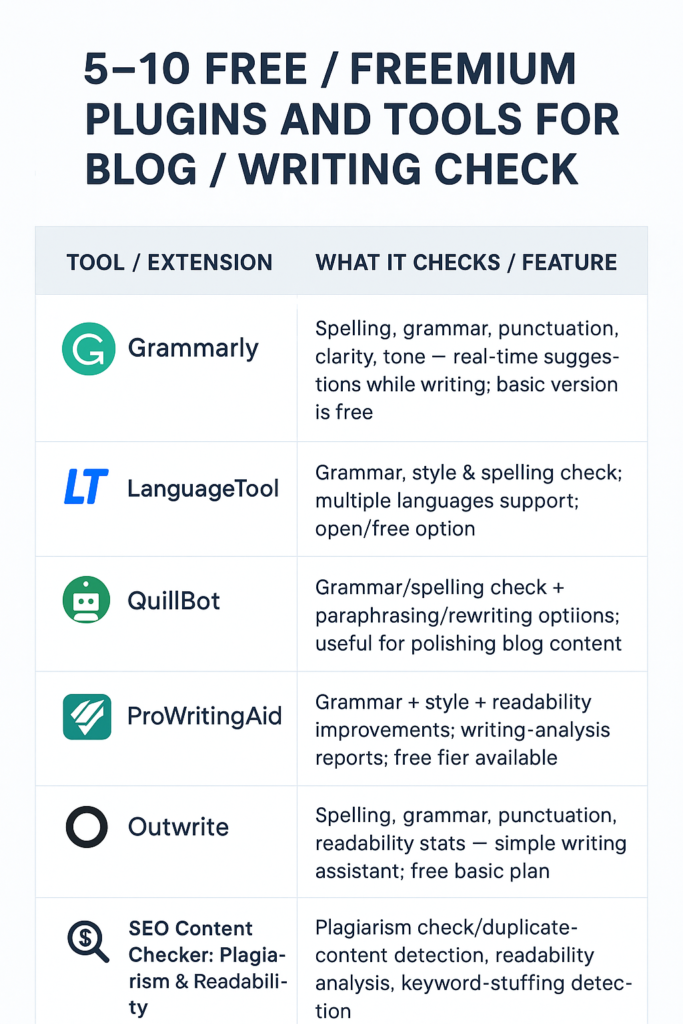
Plugins add extra features to your blog.
Go to:
Plugins → Add New
Install these:
- Rank Math SEO (improve ranking)
- Site Kit by Google (Analytics + AdSense)
- LiteSpeed Cache (speed)
- WPForms (contact form)
- ShortPixel (image optimization)
These will make your blog faster and more professional.
Step 8: Write Your First Blog Post
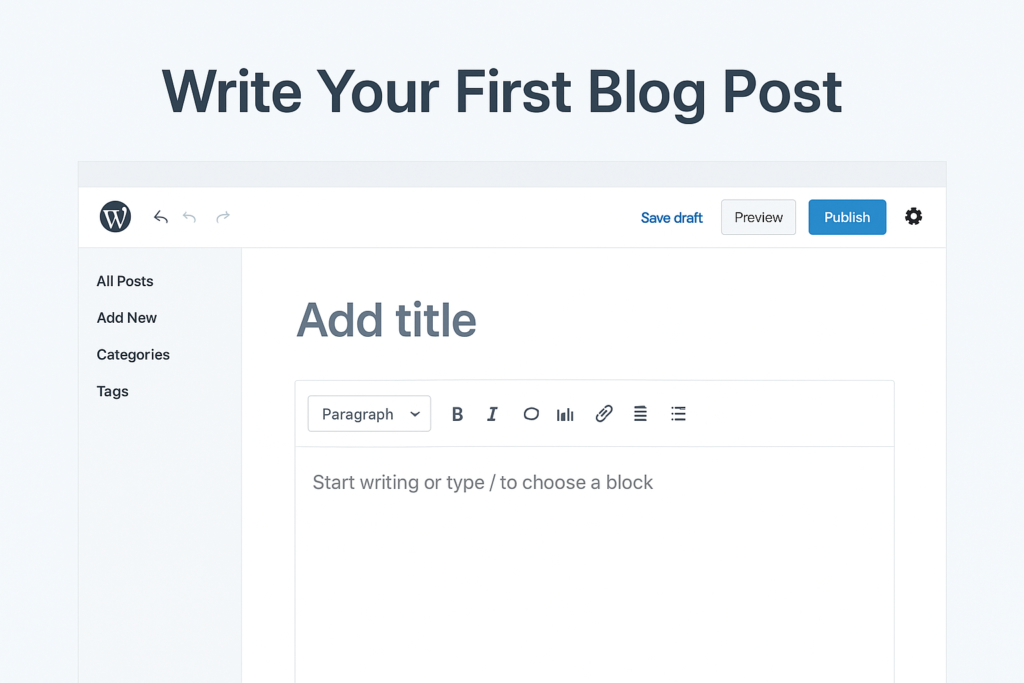
Go to:
Posts → Add New
Tips for your first post:
- Use “I” and “You” to connect with readers
- Write at least 800–1200 words
- Add images (use free sites like Pexels)
- Add headings, quotes, and examples
- Don’t copy anyone
- Focus on solving a real problem
Your blog will start growing when you publish consistently.
Step 9: Add Important Pages
These are essential:
- About Me
- Contact
- Privacy Policy
- Disclaimer
- Terms & Conditions
- Disclosure (for affiliate marketing)
These pages increase professionalism.
Step 10: Promote Your Blog
Once your blog is live, share it everywhere:
- WhatsApp groups
- Quora
More promotion = more readers.
Step 11: Monetize Your Blog
Yes, blogging can earn great money.
Here’s how:
- Google AdSense
- Affiliate Marketing (Hostinger, Amazon, tools)
- Sponsored Posts
- Digital Products (Ebooks, courses)
- Brand collaborations
- Consulting or coaching
Starting a blog isn’t just about publishing articles—it’s about creating impact.
Your blog can become:
- Your digital identity
- Your creative space
- Your emotional outlet
- Your passive income source
- Your personal brand
With Hostinger + WordPress, anyone can build a beautiful blog in just a few hours.